
Home / Skilled trades training
Skilled Trades edition
Case management for skilled trades training
Track each trainee from enrollment through credentials, job placement, and wages. Trainees get trades career tools in their portal, and employers post openings straight to the people you are training.
From classroom to job site
The Skilled Trades edition includes trades career tools and trades wording out of the box.
Trades career tools
Resume and cover letter builders, interview practice, funding checks, and trade pay data inside each trainee's portal.
Employer job postings
Employers post openings and see only the people who raised a hand or were referred. Every hire becomes a placement in your outcomes.
Credentials that count
Record certifications and credentials as trainees earn them, so your outcomes report is always current.
Skills Library
76 illustrated courses trainees finish on their phone: showing up on time, teamwork, keeping the job, first paycheck, rights at work, and more.
Two-way texting
Reminders and messages people actually answer. Replies land in the caseworker's inbox, quiet hours are respected, and STOP is handled for you.
Referrals in and out
Send someone to a partner with a follow-up date and record the outcome. Partners refer people to you the same way, with their own login.
Reports for your funders
Enrollment, credentials, employment, wages, and retention by cohort and date range, in Excel. Or type the report you need in plain words.
New this month
Added in November 2026 and included in every plan, with nothing extra to buy. See what your program would save.
Appointments with reminders
Book time with anyone on your caseload. They get a reminder the day before, tap "I will be there", and your no-show rate is right on the page.
Front desk queue
People sign in on a lobby tablet in English or Spanish, or staff add walk-ins. See who is waiting and for how long, call the next person, and link each visit to a case file.
Grant and funding tracking
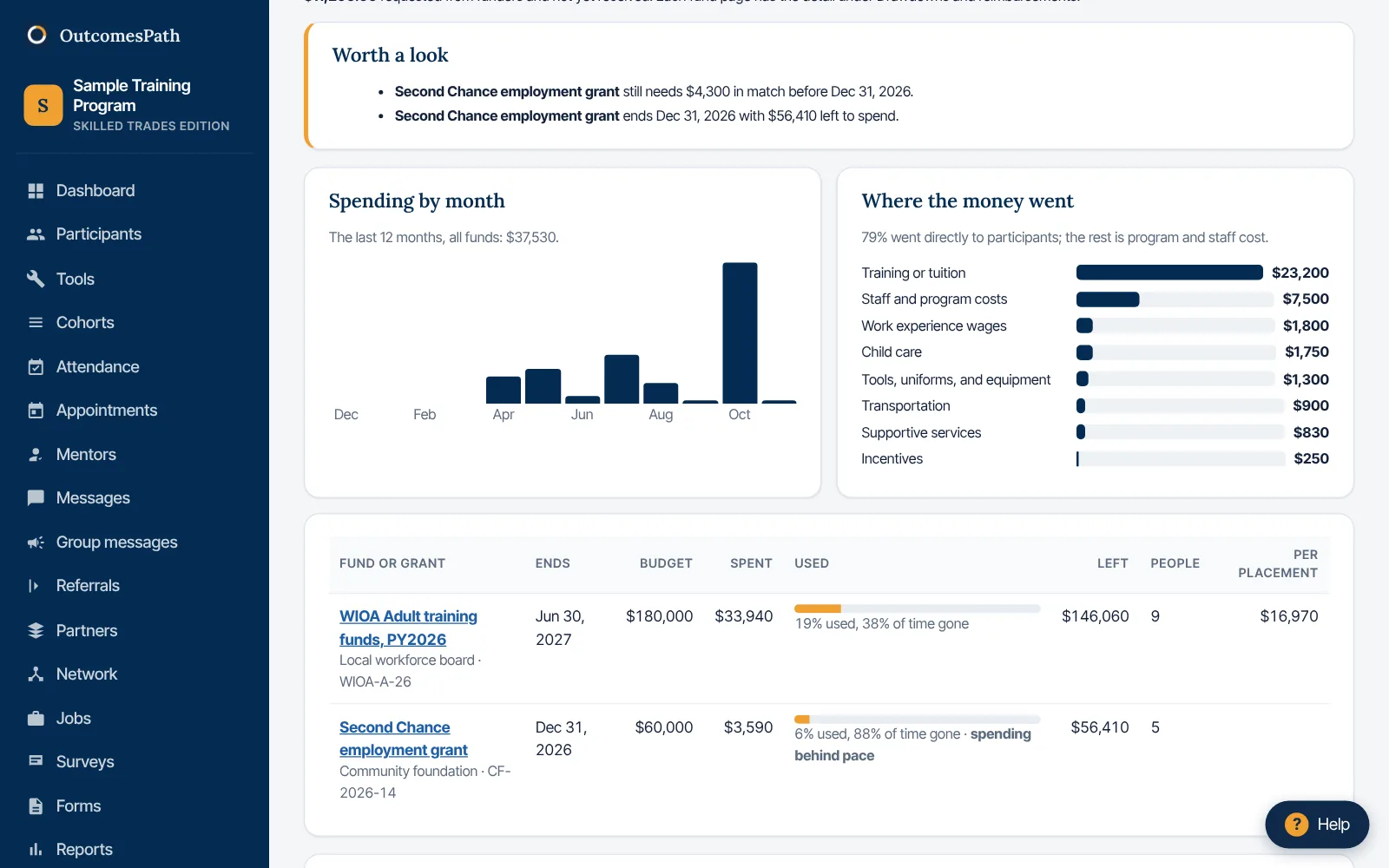
Budgets, spending by person and category, cost per participant and per placement, and a warning when spending runs ahead of or behind pace.
Live funder links
Send a funder or board a live results page with totals only. No names, small numbers hidden, and you turn it off any time.
Workforce Pell outcomes
Completion and job placement for each short-term program against your state's targets, with a student list ready for your state report.
The OutcomesPath Network
Refer people to other programs that use OutcomesPath, with the person's consent, and see when they are accepted and served.
Import your data in minutes
Import your old system's export yourself in minutes. Columns are matched for you, every row is checked first, and an import can be undone.
Alumni Network
Journey workers and recent graduates answer questions from the next class, pass along job leads from their shops, and tell you where they are working at 3, 6 and 12 months.
Also new this fall
Added in November 2026 and included in every plan. SAML single sign-on comes with Enterprise plans.
Spanish for staff and trainees
Your trainees switch their portal to Spanish with one tap, and each staff member can switch their own screens to Spanish too.
Service plans
Goals, steps, and due dates on every case file. The trainee reads the plan in the portal and agrees by typing their name.
Documents and signed releases
Upload IDs, resumes, and certificates to the case file, and get releases and consent forms signed on screen, with the time recorded.
Retention reminders
The dashboard lists who is due for the 2nd and 4th quarter after exit follow-up, and keeps listing them until it is recorded.
Single sign-on
Staff sign in with Google or Microsoft, or with your own SAML sign-on on Enterprise plans.
Ready for procurement
Security questionnaire answers, an accessibility report (VPAT), and a sample data privacy agreement. Download the packet.
New: grant money beside QuickBooks
See what every grant is doing
Keep QuickBooks as your book of record. OutcomesPath tracks each grant's budget, spending, match, and outcomes, and hands your fiscal team the reports funders and auditors ask for.
- Import spending from QuickBooks or any accounting system with an Excel export
- Budget lines, match, indirect costs, and caps per person for every grant
- Caseworkers ask for payments; an admin approves them with the receipt
- Funder report reminders, drawdowns, and subawards with partner invoices
- 22 standard financial reports and a one-click grant closeout packet
Common questions
Who uses the Skilled Trades edition?
Pre-apprenticeship programs, trade schools, union and employer training programs, and nonprofits preparing people for construction, manufacturing, energy, and other trades.
Can employers hire through it?
Yes. Employers get their own login, post openings, and see trainees who raised a hand or were referred. Each hire is recorded as a placement.
Can colleges use it?
Yes. College CTE and workforce programs can use this edition or the Colleges and CTE edition. See the Colleges page.
How do we try it?
Request demo access to look around a sample organization with nothing to set up. Every new organization then starts with a free pilot.
See it with your own program in mind
Every new organization gets a free pilot. Ask for demo access and we reply by email, usually the same business day, with your links.